My Android Video Timeline Never Shows a Blank Frame. Here's the Trick
10 min read
Contents
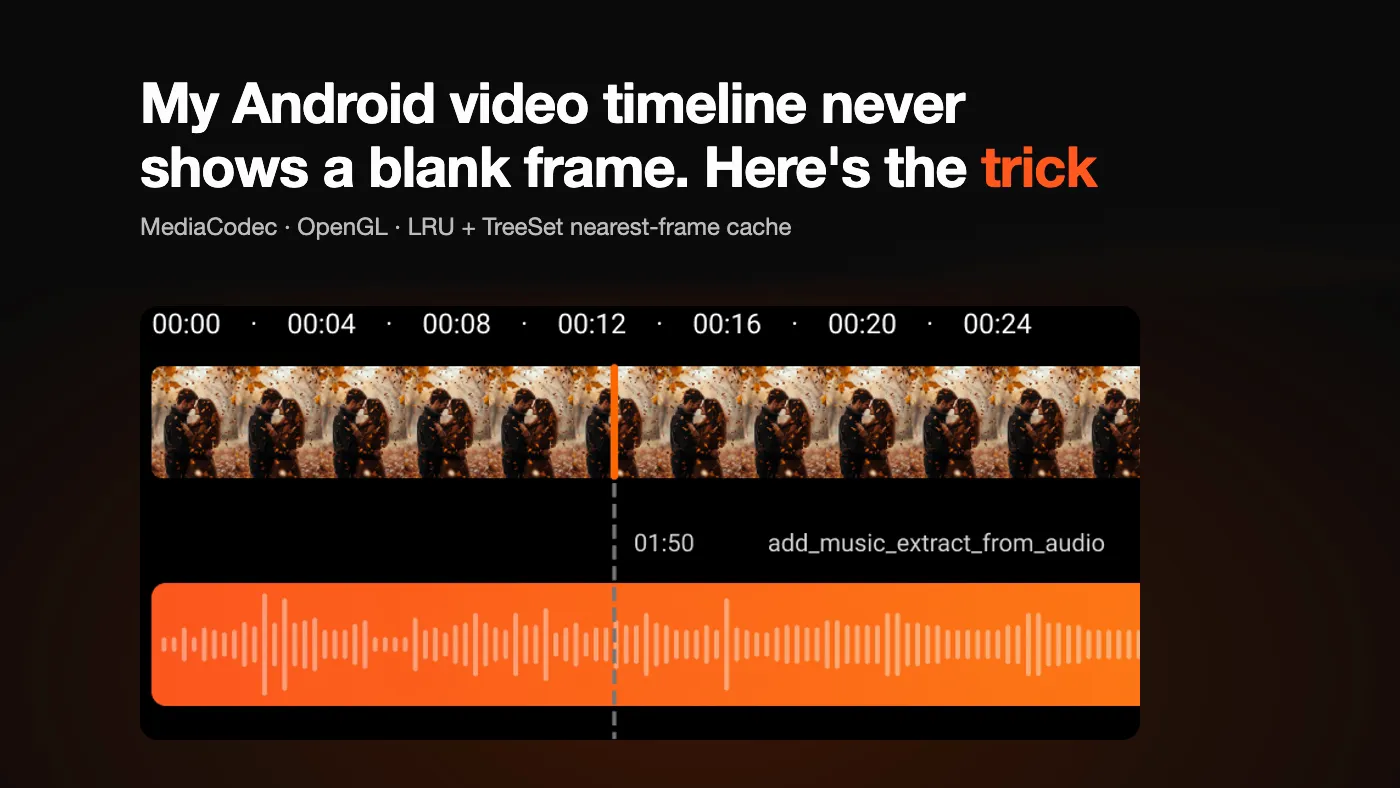
In Add Music to Video, the editor has a timeline. A strip of video frames sits under the music track, a playhead is fixed in the middle, and you scroll the strip under it. Pinch to zoom in and see more frames per second of video, pinch out to see the whole clip. If you have used CapCut you know the feel.
It looks like a list of images. It is not. Every one of those images has to be decoded out of a compressed video, decoding is slow, and the user is flinging and pinching the whole time. The strip has to keep up.
I built this at Kite Games a few years ago. The code below is rewritten from memory and trimmed to the parts that matter, but the design is the one that shipped.
The one rule
The user never sees an empty tile.
Exact frames are slow, so they will always arrive late. What the user sees in the meantime is the design problem. Every piece below exists to serve that rule: decode as little as possible, decode the right frames first, and always have something close enough to draw.
Why not MediaMetadataRetriever
The obvious API is MediaMetadataRetriever.getFrameAtTime(). It is fine for one cover image. For a timeline it falls apart:
- Every call is a fresh seek and decode, so nothing is reused between neighbouring frames.
- It blocks, and you cannot cancel it. A tile that scrolled away a second ago still costs you a full decode.
- It returns a full-size bitmap, which you then scale down to a 60 px thumbnail.
On a fling across twenty tiles that is twenty independent, uncancellable, full-resolution decodes. So I went one level down.
The pipeline
MediaExtractor   reads compressed samples from the file (no decoding)
      ↓
MediaCodec       hardware decoder, outputs to a Surface
      ↓
SurfaceTexture   the decoded frame as an OpenGL texture
      ↓
OpenGL (EGL)     draws it into a small offscreen framebuffer
      ↓
glReadPixels     copies those few pixels into a Bitmap
      ↓
FrameCache       LRU + TreeSet, explained below
      ↓
RecyclerView     draws the tile
MediaExtractor only demuxes. It hands you H.264 or HEVC samples, not pixels. MediaCodec does the decoding, and I point its output at a Surface instead of reading raw buffers. That one choice removes three problems:
- Colour formats. Raw decoder output is YUV in whatever layout the chip vendor picked. Through a Surface, the GPU handles it.
- Scaling. I draw into a framebuffer the size of a thumbnail. The full frame never exists as a Bitmap.
- Rotation. Portrait phone videos are stored sideways. The
SurfaceTexturetransform matrix fixes that in the shader.
One decoder and one EGL context are created per video and reused for every frame. Setting up a MediaCodec costs tens of milliseconds, so creating one per thumbnail would cost more than the decoding itself.
One thread owns all of it
An EGL context is bound to a single thread. If decode and render hop between threads in a pool, eglMakeCurrent breaks in confusing ways. So all of it, codec included, runs on one dedicated thread, wrapped as a coroutine dispatcher:
private val glThread = HandlerThread("thumb-gl").apply { start() }
private val glDispatcher = Handler(glThread.looper).asCoroutineDispatcher()

// The frame-available callback needs its own thread. If it were delivered to
// glThread while glThread is blocked waiting for that frame, it would deadlock.
private val callbackThread = HandlerThread("thumb-cb").apply { start() }

surfaceTexture.setOnFrameAvailableListener(
    { synchronized(lock) { frameAvailable = true; lock.notifyAll() } },
    Handler(callbackThread.looper),
)If you leave out that Handler, the callback is delivered on the main looper. It still works, but now your thumbnails stall every time the UI thread is busy, which is exactly when the user is scrolling.
Seeking, and why exact frames are slow
Compressed video is a series of keyframes, with the frames in between stored as differences. You can only start decoding at a keyframe. If keyframes are two seconds apart and you want the frame at 1.9 seconds, you decode about 57 frames to show one.
So the decode is: seek back to the previous keyframe, then decode forward, throwing frames away until you reach the target.
suspend fun decodeAt(targetUs: Long): Bitmap = withContext(glDispatcher) {
    extractor.seekTo(targetUs, MediaExtractor.SEEK_TO_PREVIOUS_SYNC)
    codec.flush()                          // drop buffers from the old position

    while (true) {
        ensureActive()                     // stop between frames if cancelled
        feedInput()                        // readSampleData → queueInputBuffer
        val index = codec.dequeueOutputBuffer(info, TIMEOUT_US)
        if (index < 0) continue

        val reached = info.presentationTimeUs >= targetUs
        codec.releaseOutputBuffer(index, reached)   // render only the target frame
        if (reached) {
            outputSurface.awaitNewImage()
            outputSurface.drawImage()      // into the thumbnail-sized framebuffer
            return@withContext readPixelsToBitmap()
        }
    }
}Two lines in there are easy to miss:
codec.flush()after every seek. Without it, the decoder hands you frames that were already queued from the previous position.ensureActive()inside the loop. Coroutine cancellation is cooperative. A decode that walks 57 frames needs to check between frames, or cancelling it does nothing until it finishes.
The nearest-frame cache
This is the piece that makes the timeline feel instant.
Decoded thumbnails go into an LRU cache sized in bytes. That alone is not enough. When the user zooms, every tile gets a new timestamp, and almost none of them match a cached one exactly. A plain cache misses on all of them, and the strip goes blank while the decoder catches up.
But a frame from 80 ms away looks almost identical. So next to the LRU I keep a TreeSet of every cached timestamp. For any tile I can find the closest frame I already have in O(log n), draw it straight away, and let the decoder replace it when the exact frame is ready.
class FrameCache(maxBytes: Int) {
    private val index = TreeSet<Long>()

    private val lru = object : LruCache<Long, Bitmap>(maxBytes) {
        override fun sizeOf(key: Long, value: Bitmap) = value.allocationByteCount

        override fun entryRemoved(evicted: Boolean, key: Long, old: Bitmap, new: Bitmap?) {
            if (new == null) index.remove(key)   // evicted from LRU → gone from index
        }
    }

    @Synchronized
    fun put(timeUs: Long, bitmap: Bitmap) {
        index.add(timeUs)
        lru.put(timeUs, bitmap)
    }

    @Synchronized
    fun nearest(timeUs: Long, maxDistanceUs: Long): Bitmap? {
        val below = index.floor(timeUs)
        val above = index.ceiling(timeUs)
        val best = when {
            below == null -> above
            above == null -> below
            timeUs - below <= above - timeUs -> below
            else -> above
        } ?: return null
        if (abs(best - timeUs) > maxDistanceUs) return null
        return lru.get(best)
    }
}Three details took me longer than they should have:
- Neither floor nor ceiling.
flooralone always picks the earlier frame, even when a later one is much closer. Checking both neighbours and taking the nearer one is visibly better at high zoom. - The two structures must never disagree. Eviction happens inside
LruCache, so the index is cleaned up inentryRemoved. Andputadds to the index before the LRU. If the order were reversed and a bitmap was evicted the moment it went in,entryRemovedwould run first and the index would keep a timestamp with no frame behind it. - One lock around both.
LruCacheis thread-safe on its own.TreeSetis not, and the pair has to change together anyway.
I use the same lookup with two distances. With about half a frame’s duration it means “this is the frame, skip decoding”. With a few tiles’ worth of time it means “close enough to show while we wait”.
Reusing bitmaps
A busy timeline decodes hundreds of thumbnails a minute, and the cache evicts about as many. Allocating a new Bitmap for each and dropping the old one gives the garbage collector steady work, and its pauses show up as dropped frames mid-scroll.
Every thumbnail has the same size, so any old bitmap can hold any new frame. Evicted bitmaps go into a small pool instead of being thrown away, and the readback writes into one from the pool:
private val pool = ArrayDeque<Bitmap>()

// in the LruCache
override fun entryRemoved(evicted: Boolean, key: Long, old: Bitmap, new: Bitmap?) {
    if (new == null) index.remove(key)
    if (old !== new && pool.size < MAX_POOL) pool.addLast(old)
}

@Synchronized
fun obtain(width: Int, height: Int): Bitmap =
pool.removeFirstOrNull() ?: Bitmap.createBitmap(width, height, Bitmap.Config.ARGB_8888)// allocated once per video, reused for every frame
private val pixels = ByteBuffer.allocateDirect(width * height * 4).order(ByteOrder.LITTLE_ENDIAN)
fun readPixelsToBitmap(): Bitmap {
pixels.rewind()
GLES20.glReadPixels(0, 0, width, height, GLES20.GL_RGBA, GLES20.GL_UNSIGNED_BYTE, pixels)
pixels.rewind()
return cache.obtain(width, height).apply { copyPixelsFromBuffer(pixels) }
}Reusing a bitmap is only safe if nothing is still drawing it. Two things guarantee that. The LRU budget holds several screens of frames, so whatever gets evicted has been off screen for a while. And tiles don’t keep a reference to their bitmap. They ask the cache each time they draw, so once a frame is evicted, nothing points at it.
After this, a long scroll session allocates almost nothing: the pixel buffer once, and a bitmap only when the pool is empty.
Only decode what is on screen
Tiles have a fixed width in pixels. Zoom changes how much video time one tile covers. From the scroll position and that ratio I work out which tiles are visible, add a few off-screen tiles on each side, and turn them into timestamps:
fun targetsFor(
    scrollX: Int, viewWidth: Int, tileWidthPx: Int, usPerPx: Double, durationUs: Long,
): List<Long> {
    val first = scrollX / tileWidthPx
    val last = (scrollX + viewWidth) / tileWidthPx
    val middle = (first + last) / 2

    val visible = (first..last).sortedBy { abs(it - middle) }
    val buffer = (first - BUFFER_TILES until first) + (last + 1..last + BUFFER_TILES)

    return (visible + buffer)
        .map { (it * tileWidthPx * usPerPx).toLong() }
        .filter { it in 0..durationUs }
}The order matters. Tiles near the playhead come first because that is where the user is looking, then the rest of the screen, then the buffer. The buffer is what makes a short scroll or a small zoom feel smooth: those frames are usually ready before they come into view.
Every scroll or zoom change throws away the previous plan and starts a new one:
private var job: Job? = null

fun onViewportChanged(targets: List<Long>) {
    job?.cancel()
    job = scope.launch {
        for (t in targets) {
            if (cache.nearest(t, halfFrameUs) != null) continue
            val bitmap = decoder.decodeAt(t)
            cache.put(t, bitmap)
            adapter.notifyTileReady(t)     // redraw that one tile, not the list
        }
    }
}Cancelling and restarting on every change also acts as a debounce. During a fling or a pinch the plan is replaced many times a second, and only the plan for where the user stops gets carried through. Tiles that left the screen are never decoded.
Zoom
Pinch goes through a ScaleGestureDetector and changes one number: microseconds per pixel. From that the tile count and every tile’s timestamp are recalculated, and the strip is redrawn.
That would be a blank strip with a plain cache. Here each new tile asks nearest() and gets a frame immediately, at worst a few hundred milliseconds off. Then the scheduler fills in the exact frames, centre first. To the user, zoom looks like the strip sharpening, not loading.
What it costs
| Step | Cost |
|---|---|
| Working out visible tiles | proportional to tiles on screen plus buffer |
| Cache lookup or insert | O(log n) for the index, O(1) for the LRU |
| Decoding a keyframe | one frame |
| Decoding any other frame | up to the keyframe interval, often 30 to 60 frames |
| Reading back pixels | proportional to the thumbnail size, which is small |
| Memory | capped by the byte budget of the LRU |
The data structures are effectively free. Decoding is the cost. Everything in the design is about avoiding decodes (the cache), wasting fewer (cancellation, visible-first), and hiding the ones left over (nearest-frame placeholders). Bitmap reuse keeps memory churn off the scroll path.
What I would add today
- Decode forward instead of seeking again. If the next target is later in the same keyframe interval, keep decoding from where the codec is. Scrolling right becomes nearly free.
- Asynchronous readback.
glReadPixelsstalls until the GPU is done. Pixel buffer objects on GLES 3, or anImageReader, avoid that. - A disk cache, so reopening the same video does not start from zero.
The lesson I took from it: when something is slow and cannot be made fast, make sure the user is never waiting on it. Show something close, and fix it quietly.